Run every show with clarity, control, and confidence.
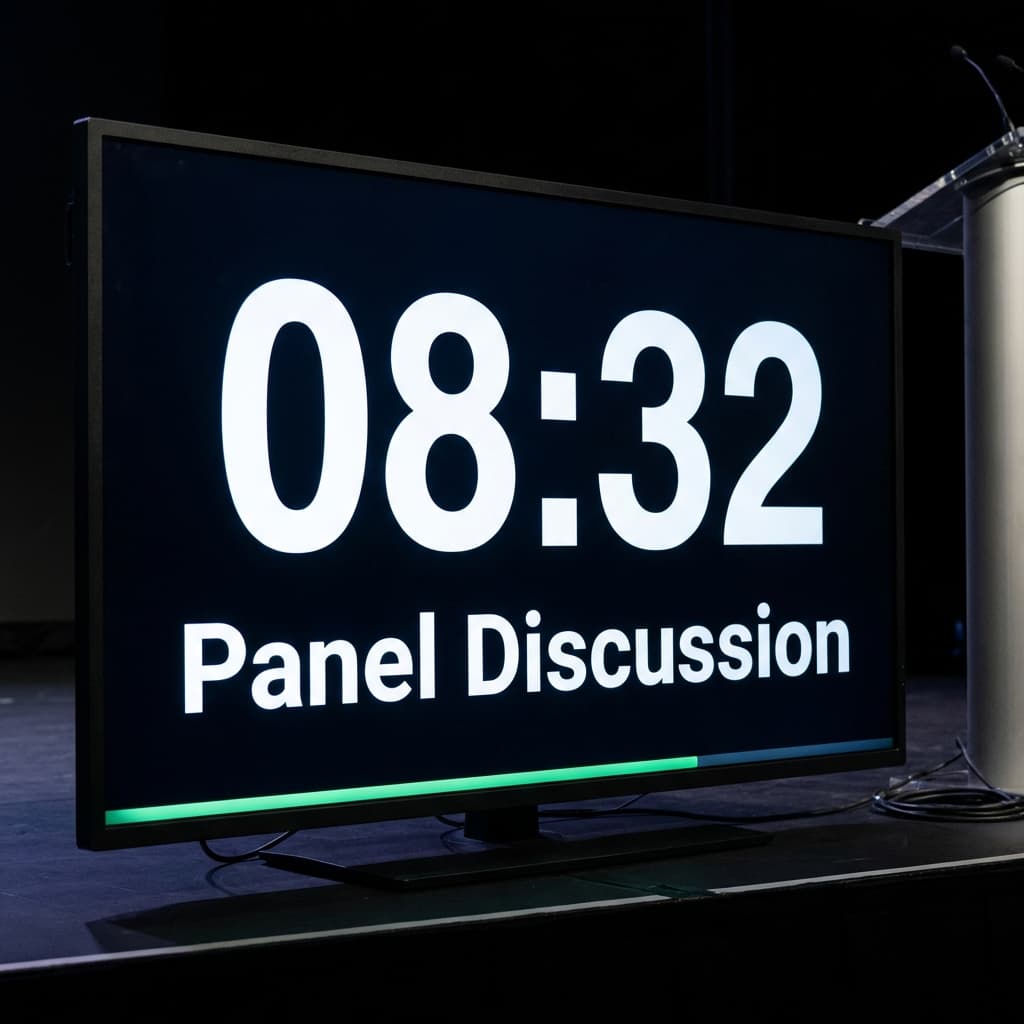
Everyone on your team sees the same countdown and the same run of show, so sessions stay on time and speakers always know how long they have left.
Free to use — no credit card required.
The problem
Most live sessions break down in the same few places
Producers manage time manually, speakers lose track of pace, and sessions either run long or feel rushed — stress for the team, and a rough experience for the audience.
Time Anxiety
The constant stress of watching the clock while trying to deliver a great performance.
Technical Chaos
Fumbling with multiple timers, spreadsheets, and manual cues during a live broadcast.
Speaker Stress
Guests feeling rushed or lost because they don't know exactly how much time is left.
Audience Friction
Shows that run over time or feel disorganized, leading to lower engagement and drop-offs.
“Before OnAirCue, our producers were juggling timers, private messages, and schedule notes at the same time. Now the whole room stays aligned without the chaos.”
The solution
OnAirCue replaces the scattered parts of running a live session
Instead of separate timers, manual reminders, and producer guesswork, your team works from one shared timeline for every segment. Fewer mistakes, clearer cues, and a calmer experience for everyone on screen.
One clear view for producers
See what's live, what's next, and how much time is left — without switching between tools.
Segments that stay on schedule
Keep each part of the show on time and avoid overruns, rushed endings, and missed handoffs.
The same workflow every time
Use one process across webinars, podcasts, broadcasts, and panels — no rebuilding for each format.
A show that feels rehearsed
Deliver a more polished experience that clients, guests, and internal teams notice right away.
How it works
From setup to showtime in three steps
Plan your segments
Map out your show sections, durations, and transitions in the builder.
About 2 minutes
Sync your team
Share a link with co-hosts, guests, and producers. Everyone sees the same clock.
No apps to install
Go live
Run the show while OnAirCue handles the counts and sends 30-second and wrap-up cues.
Works on any device
Features
Everything you need to run a better show
Tools that keep the focus on your content, not the clock.
Structure your episode
Build a full run of show with timed segments — intro, topics, ad break, outro. Click to advance and the timer updates instantly for everyone.
Speaker view
Send a link to your guest or host. They get a clean, distraction-free timer on their phone or tablet.
Remote ready
Works over Zoom, Riverside, or in the studio. No screen sharing — just send the link.
Producer controls
Add or subtract time on the fly. Flash a message to the speaker. Control the flow without interrupting the conversation.
Who it's for
Built for anyone running a live show
From a professional studio to a home setup, the workflow scales with your production.
Podcasters
Keep guests on schedule
No more awkward interruptions or shows that run an hour long.
Webinar hosts
Manage multiple speakers
Smooth transitions between segments, even with remote presenters.
Churches
Time services and sermons
Keep the service flowing without rushing the sermon.
Fitness instructors
Run interval classes
Clear visual cues for high-intensity intervals and rest periods.
Corporate events
Coordinate full-day agendas
Keep every speaker on time across a complex production.
Something else?
The timer is flexible enough for any time-based live event. Tell us about yours.
Get in touchProof
Live production mistakes are expensive and visible — teams use OnAirCue to avoid them
- 500+
- Production teams
- 12k+
- Live sessions run
- 99.9%
- Uptime target
- 50+
- Countries
Comparison
How OnAirCue compares to traditional timers
Dedicated broadcast timers do more on the hardware side. OnAirCue wins on speed, setup, and getting a whole team on the same clock.
| Feature | OnAirCue | Traditional timers |
|---|---|---|
| Price | Free | Usually paid |
| Setup time | Under 2 min | 15–30 min |
| Install required | No — runs in the browser | Desktop app |
| Real-time team sync | Built in | Add-on or manual |
| Separate speaker display | Shareable link | Varies |
| Hardware tally / SDI output | Not yet | Often included |
Testimonials
Fewer mistakes, smoother shows, less stress on the team
“Our sessions used to run long because nobody had a shared view of time. OnAirCue fixed that fast, and the whole webinar felt more controlled.”
“We used to rely on chat messages and verbal cues. Once everyone could see the same countdown, transitions got cleaner and the pressure dropped.”
“Clients can tell when a production team is improvising. This gave us a polished flow, fewer awkward pauses, and a show that felt properly managed.”
Runs on the devices you already have
OnAirCue works in any modern browser — nothing to download or install. Control the show from a laptop, and keep the timer open on a phone or tablet beside you.
- Producer controls on desktop, speaker view on any screen
- Add it to your phone’s home screen for one-tap access
Stop running live sessions with scattered timers and rushed speakers
OnAirCue is free to use. Create a workspace, get your team on one timeline, and see how much smoother your next session feels.
No credit card required.